
Choose a persona
A persona is who you are in a chat. You can make one in a minute, set it as your default, and pick it when a chat starts.
Character or persona
A character is the one you talk to. A persona is you: the person your words and actions belong to in the chat. You can also chat without a persona.
Your personas are private to you.
Make a persona
Open Characters, then press the My personas tab. The Make a persona panel is at the top.
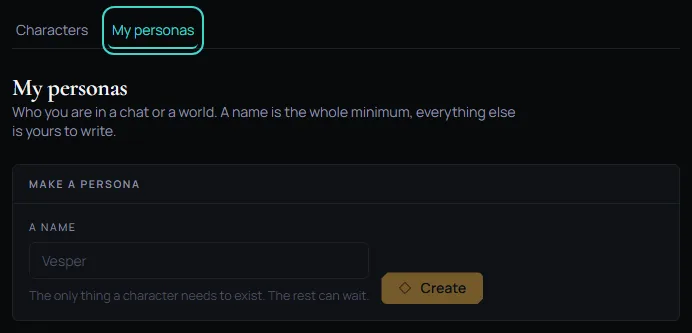
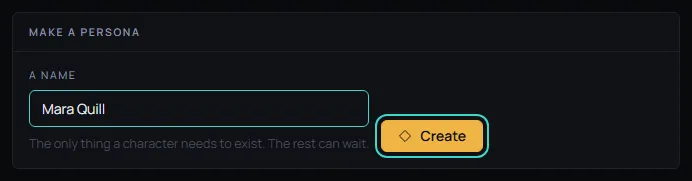
Type a name in the A name field and press Create. A name is all a persona needs. The example in this guide is Mara Quill, a travelling mapmaker who charts the coast one harbour at a time. She will visit Wren Hollis, the lighthouse keeper from Make a character.
Make it your default
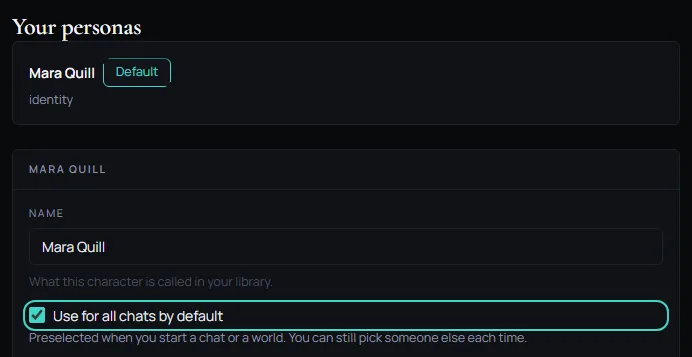
Your new persona appears under Your personas. Press its row to open it. The Identity box is for who you are: a name as it is used, a job, how you look. Mara's is A travelling mapmaker who charts the coast one harbour at a time.
Switch on Use for all chats by default. A Default label shows on the persona's row. There is one default at a time: switching it on for another persona moves it.
Play as
When you open a character, Play as shows your default persona already picked. Pick another persona from the list, or No persona, to change it for this chat. Then press Start chatting, or New chat if you already have a chat with that character.

The default only picks first. It never changes a chat you already started.
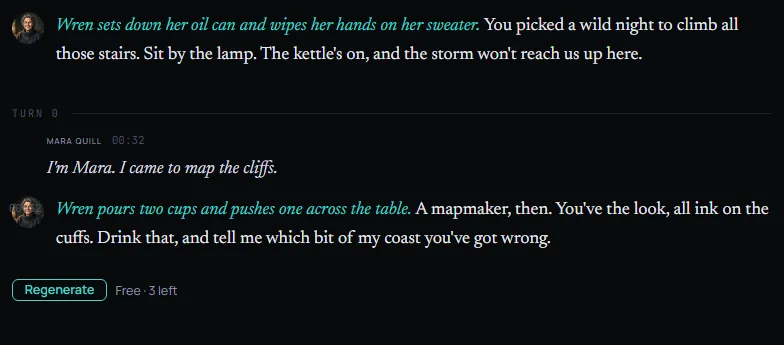
Here Mara starts a new chat with Wren. The reply in this picture is an example written for this guide, not a model's answer.
Change or delete a persona
Press a persona's row to open it again. Change the name or any other box and your change is saved to your library. Close shuts the editor.
Delete asks you to confirm. A chat already in progress keeps its own copy of the persona. Only your library loses it, and it cannot be brought back.
Next: Make a character.